Free for personal use · Linux & macOS

Fill in any
PDF form.
Even the
scanned ones.

pdfr finds the boxes on any form, fillable, flat or a crooked scan, so you just click and type. Your words land neatly inside, at the right size, one letter per square. No printer. No scanner. No pen.

Born on Omarchy, fits every distro. Now on macOS too.

Municipality of Northvale
Residence certificate
Application form · Please write clearly in the boxes
FORM
RC-7
6.
Signature
Place and date
go on, click a box and type
Tax returnsVisa applicationsSchool enrolmentBuilding permitsInsurance claimsRental applicationsMedical history formsBenefit applicationsChange of addressParking permitsExpense reportsJob applicationsPension formsCustoms declarationsTax returnsVisa applicationsSchool enrolmentBuilding permitsInsurance claimsRental applicationsMedical history formsBenefit applicationsChange of addressParking permitsExpense reportsJob applicationsPension formsCustoms declarations
The problem

It’s 2026. Why are we still dragging text boxes onto forms?

Most forms are just pictures of a form. A scan of a printout of a Word file, with lines and little squares that only a human can see. Your PDF viewer doesn’t know there’s anything to fill in.

So you open a PDF editor, click Add text, and drag a floating text box onto every single line, nudging it until it almost sits on the line. Then the little squares for your ID number, one box per character. For forty boxes. Or you give up and reach for a pen.

pdfr turns all of that into: open, click, type, save.

The text box ritual
  1. 1.Open the form in a PDF editor
  2. 2.Click “Add text”. Drag a box onto the line.
  3. 3.Nudge it. Nudge it again. Fix the font size.
  4. 4.Repeat for every line, box and tick
  5. 5.One text box per square of your ID number
→ or just use pdfr
How it works

Open. Click. Type. Done.

No setup, no account, no tutorial. If you can type, you already know how to use pdfr.

household_scanned.pdf, pdfr
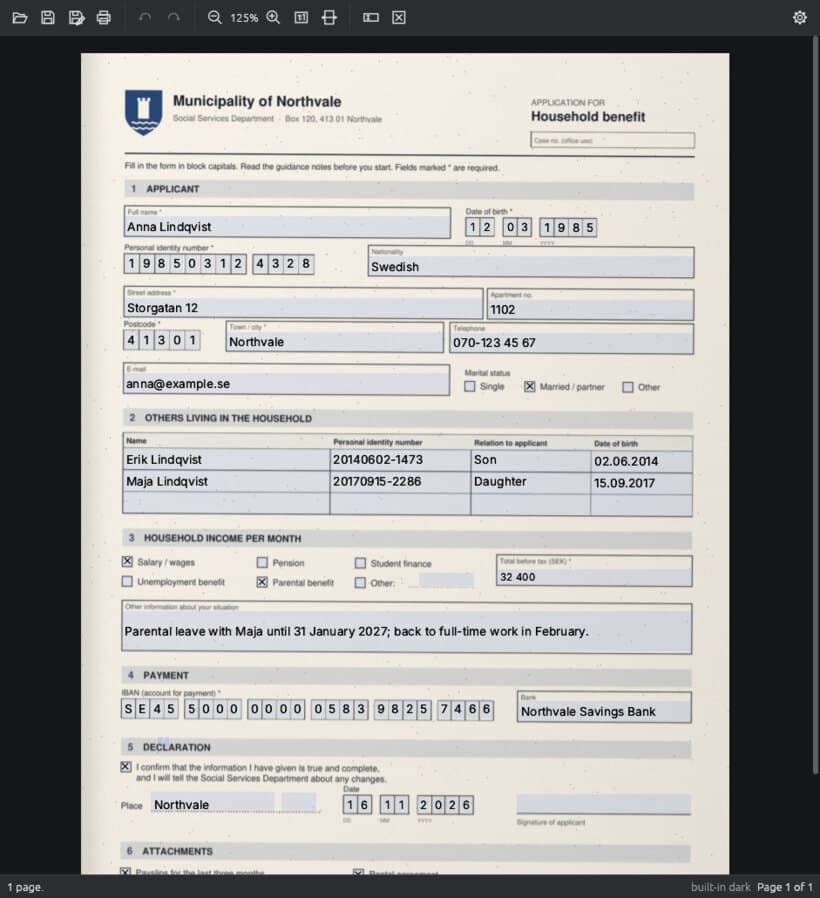
a real scanned form, filled in real time
  1. 1Open

    Drop any PDF on the window

    Fillable, flat or scanned. pdfr finds every box on the page by itself, in a blink.

  2. 2Type

    Click a box and write

    Text sits on the line at the right size. Dates and ID numbers flow one character per square. Tab jumps to the next box.

  3. 3Save

    A clean PDF, ready to send

    Saved as form-filled.pdf, so your original is never overwritten. Or print it straight away.

Why pdfr exists

A note from the person who made it

Hi,

I’m Rasmus, and I made pdfr because I couldn’t fill in a PDF.

It was a scanned form. A photocopy of a photocopy, slightly crooked, with a tiny square for every letter of my name. My computer can edit video and talk to an AI, but for this form, the best tool I had was a pen.

So I tried the PDF editors. One wanted a monthly subscription. Another let me drop text boxes on the page, and I spent an evening nudging them until the letters almost lined up with the squares. None of them understood there was a form on the page at all.

That felt absurd. You can glance at a form and see every box. A computer can too, if someone takes the time to teach it. So I did.

pdfr looks at the page the way you do. It finds the lines, the boxes, the little squares and the tables, and lets you just type. It remembers your details so you never type your passport number twelve times again, and it keeps all of that on your computer, where it belongs.

I built it on Linux, because that’s where I work, and because Linux deserves desktop apps that feel this good. It’s free for personal use. If it saves you one afternoon with a printer, it was worth building.
Rasmus
Rasmus Kjellberg, maker of pdfr
Made by one person
Scanned forms

Crooked, grey, photocopied? Bring it.

Other PDF apps see a scan as a photo. pdfr reads it like you do: that’s a box for a name, those are eight squares for a date, that’s a checkbox. It cleans up the grey, ignores the specks, and puts your text exactly where it belongs.

A scanned household benefit application in pdfr, every box filled in neatly: names, dates in their squares, ID numbers, ticked checkboxes.
Scanned · 31 boxes
Flat forms

Finds the boxes by itself

Lines, boxes, tables and squares, on forms that were never made to be filled in on a computer. No drawing text boxes by hand.

Comb fields

One letter per square

Type a date or an ID number and it flows across the little squares on its own: day, month, year, each digit in its place.

Typesetting

Text that just fits

The right size, sitting on the line, the way neat handwriting would. No floating text that's a bit too big and a bit too high.

Rust

Fast. Really fast.

The first page is on screen in about a tenth of a second, even in a 300-page document. Scrolling stays smooth, no blank pages.

Peace of mind

Your original stays safe

pdfr never overwrites your file without asking. The filled-in copy is saved next to it, ready to email or upload.

AcroForms

Real forms too

Fillable PDF forms work exactly as they should, and you can print straight from pdfr. Undo anything with Ctrl+Z.

Autocomplete

Type your passport number once.

pdfr remembers the details you type, names, addresses, ID numbers, e-mail, and offers them on the next form. Hover a box, pick a person, and it fills in. Like your browser’s autofill, but it actually understands forms.

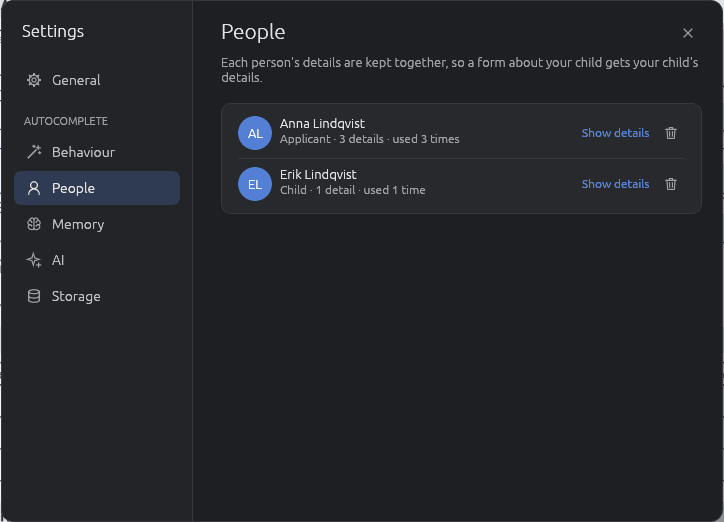
  • Each person stays separate
    Your details, your partner's, your kids'. A form about your daughter gets her birthday, not yours.
  • You decide what's kept
    After you save, pdfr shows what it would like to remember. Tick what you want. Or say always, or never.
  • Any form, any language
    It knows that Nombre, Förnamn and First name are the same box, so your details follow you.
Anna or Erik?
pdfr knows who’s who.
Your data

Your forms are nobody’s business. Not even ours.

Forms are full of the most private things about you: your ID number, your income, your health, your kids. pdfr is built so none of it ever leaves your computer.

No account, no cloud
pdfr is an app on your computer. No sign-up, no upload, no tracking.
One file, yours only
What pdfr remembers lives in one file only you can read. Browse it or delete it any time.
Never stored
Passwords, card numbers, and any box you mark “don’t remember”.
Source available
Every line of pdfr is public on GitHub. Don’t trust us, read it.
Optional AI helper · what it sees
Date of birth
Personal ID number
Part 2 · Your partner
Monthly income

If you have Claude Code installed, pdfr can ask it what an unusual label means. It only ever sends the printed labels and headings, never what you type, never the page, never the file. It asks first. Everything else works without it.

Labels only
pdfr Settings, People section: each remembered person with their role, with buttons to show details or forget them.
Side by side

Does one thing. Does it best.

The big PDF editors do a lot more than pdfr. They just don’t do forms like this.

Filling in formspdfrAcrobatFoxit
Fillable PDF forms
Finds the boxes on any form, by itselfby handby hand
Scanned paper formsby handby hand
One letter per square, automaticallyby handby hand
Remembers each person separately××
Runs on Linux××
PriceFree¹$20/mo$11/mo

¹ For personal use. “By hand”: possible, but you draw the fields yourself, often as a paid extra. Based on public information, November 2026. Acrobat Reader is free for fillable forms. Spotted a mistake?

Get pdfr

Born on Omarchy. Fits every distro.

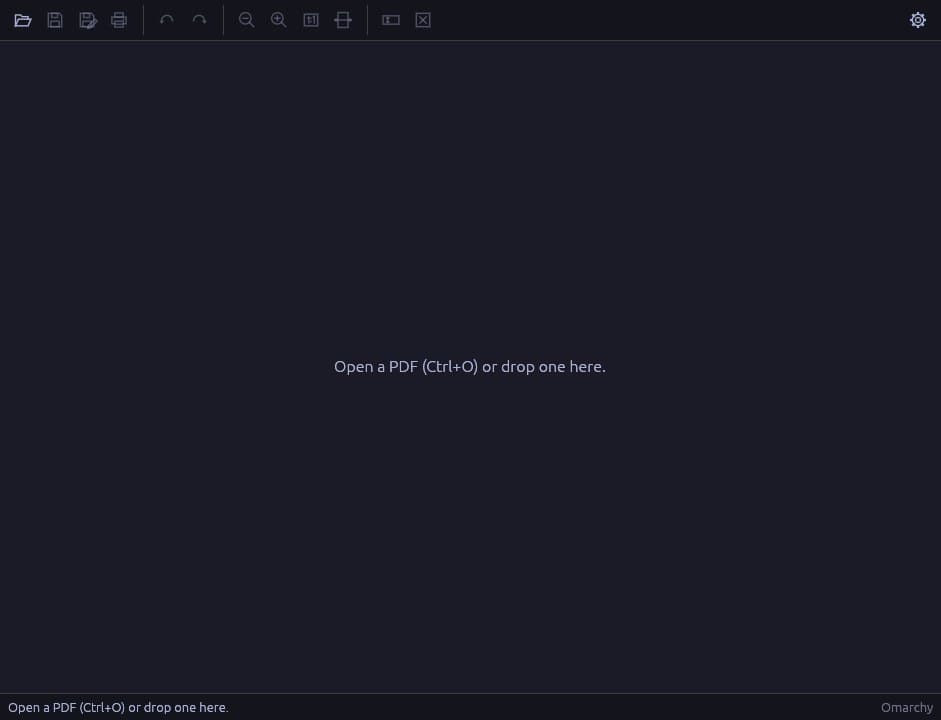
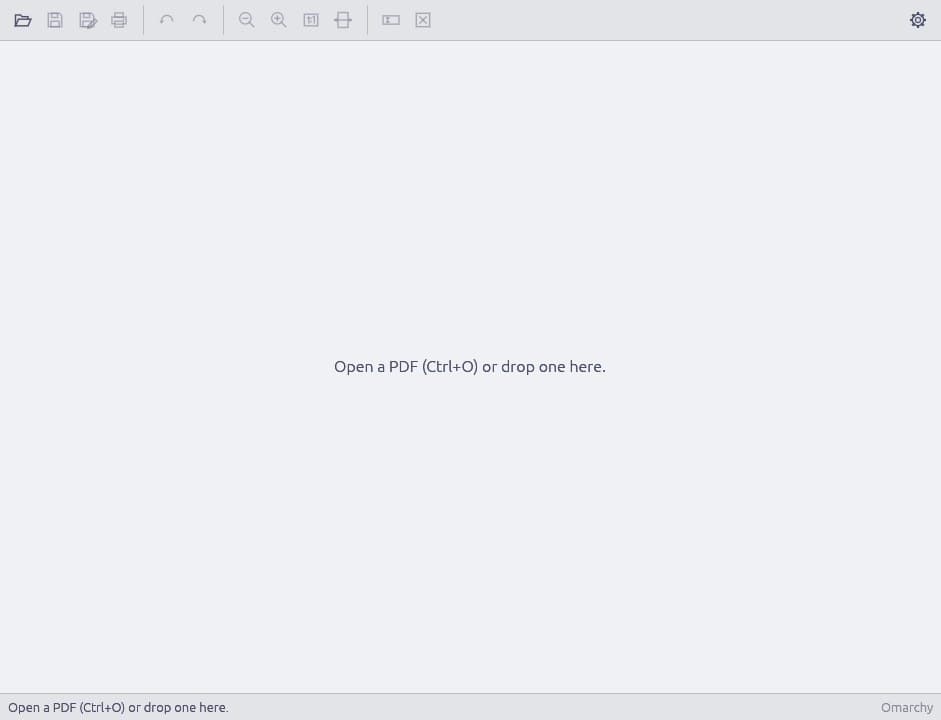
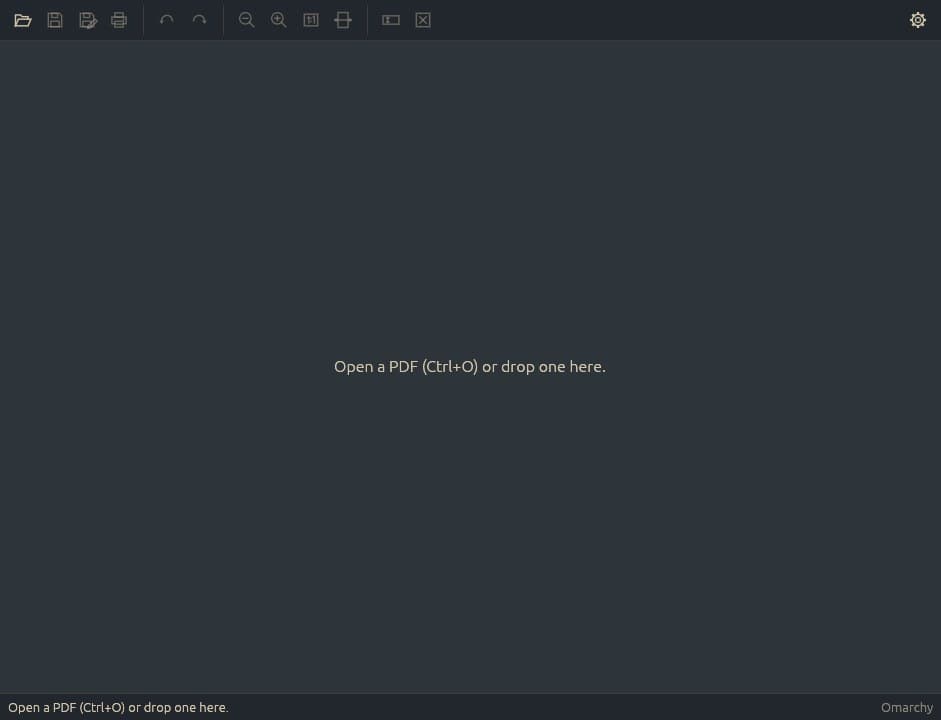
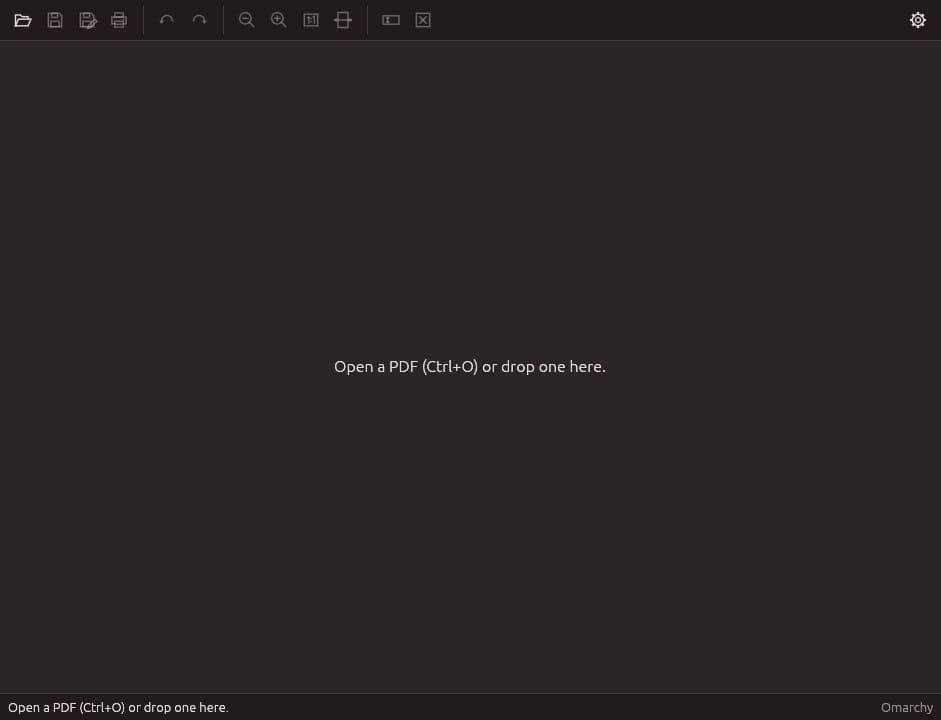
pdfr grew up on Omarchy, where it wears your theme and switches the moment you do. Everywhere else it follows your desktop’s light or dark mode, uses its file and print dialogs, and shows up in your launcher and under “Open with”.

pdfr in the Tokyo Night Omarchy theme
Tokyo Night
pdfr in the Catppuccin Latte Omarchy theme
Catppuccin Latte
pdfr in the Everforest Omarchy theme
Everforest
pdfr in the Ristretto Omarchy theme
Ristretto

Install in one line

One line installs pdfr on any Linux distribution or Mac, and the same line keeps it up to date. Wayland or X11, any desktop.

  • GNOME
  • KDE Plasma
  • Cosmic
  • Hyprland
  • XFCE
  • Cinnamon
  • Sway
  • i3

Flatpak is coming to Flathub, and Windows is being finished. Watch the releases to hear first.

Linux · macOS
$curl -fsSL https://pdfr.app/install.sh | sh
  • Run it again to update. pdfr tells you when there’s a new version, and shows you this line.
  • No root, no package manager. On Linux pdfr adds itself to your app menu, “Open with” and the terminal. On a Mac it goes in Applications and opens straight away.
  • Any distro, x86_64 or ARM. Macs with Apple silicon or Intel, macOS 12 or newer. Every download is checked against the release’s checksums.

Rather download it yourself? The releases page has the .dmg, .tar.gz, .deb and .rpm. To remove pdfr: curl -fsSL https://pdfr.app/install.sh | sh -s -- --uninstall

Pricing

Free for you. Really.

No trial, no account, no “upgrade to export”. Every feature, free for personal use, forever.

Most people
pdfr · licence
Personal
  • Every feature✓
  • Scanned & flat forms✓
  • Autocomplete, per person✓
  • Updates✓
  • No account✓
Total$0forever
Download for Linux
Thank you
pdfr · licence
Business
  • Use pdfr at work…
  • Licences for your team…
  • Priority support…
  • Invoices…
  • Volume pricing…
TotalSoon
Follow along on GitHub
Thank you

It’s free. But if you want to support me, or follow my other projects, follow me on X. It honestly means a lot.

Using pdfr for work? Commercial licences are on the way. Until then, you’re welcome to try it.

Questions

Frequently asked

01Is it really free?
Yes, for personal use: every feature, no trial, no account. Commercial licences for businesses will come later; that's how pdfr pays for itself.
02Will it work on my distro?
Very likely. pdfr runs on anything with glibc 2.31 or newer (Debian 11, Ubuntu 20.04 and later, and every current Arch, Fedora or openSUSE), x86_64 or ARM, on Wayland or X11 and any desktop. Every build is tested on six distributions before release.
03What about macOS and Windows?
pdfr runs on macOS now, on Apple silicon and Intel Macs. Install it with the same one line as on Linux and it opens straight away. (From the .dmg on the releases page, macOS asks once, because pdfr isn't notarized by Apple yet.) Windows is in the works.
04Does it upload my documents anywhere?
No. pdfr works entirely on your computer. There's no account and no cloud. The only thing that can ever leave your machine is the optional AI helper's request, and that holds only the printed labels on the form, never what you type.
05Do I need AI for it to work?
Not at all. Finding the boxes, filling them in and remembering your details all work offline, with no AI. If you happen to have Claude Code installed, pdfr can use it to understand unusual labels better, after asking you once.
06Can it edit PDFs, sign them or merge pages?
Not yet. pdfr does one thing, filling in forms, and aims to do it better than anything else. Editing, comments, signatures and page tools are on the list.
07Is pdfr open source?
It’s source available: every line is public on GitHub, and contributions are welcome. It’s free for personal use, but you can’t redistribute it or sell it. See the licence.
08pdfr missed a box. Now what?
Draw it yourself in a second: the toolbar has a text box and a checkbox tool. Remove a wrong one with a right-click. And please send the form's layout along in an issue, so pdfr learns it.

The next form is coming.
Be ready for it.

Install pdfr now, and the next time a PDF form lands in your inbox, it takes two minutes and no printer.

Get pdfr for Linux

Free for personal use · No account